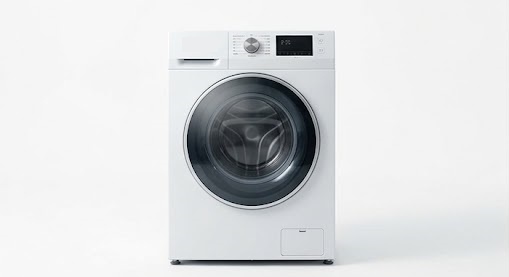
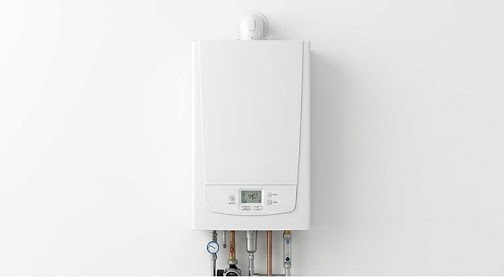
A printed QR. Forever.
You print the code once. Update documents and answers whenever you want, without reprinting anything.
- The link remains yours, even if you cancel the service
- AI Assistant that answers about your product
- Every page translated automatically


Every product has its QR, its page, its assistant.
A printed QR never becomes useless
A label stays where you apply it for years. With ScanEron, you never risk ending up with codes that lead nowhere, even if one day you stop using the service.
It never changes: you can update documents, videos, and answers whenever you want, without reprinting anything.
The codes already out there continue to work: those who scan them won’t find an empty page.
For each QR, indicate a page on your site: if the plan expires, customers will always arrive there.
No more labels to throw away: the QR you print today keeps serving you. Just indicate the backup address in the card of each QR.
Everything you get with a single QR
Change the content whenever you want: the already printed QR remains the same and never needs to be redone.
Studies your documents and answers customers at any time, without you having to be there.
PDFs and documents uploaded by language: the customer finds what they need right away.
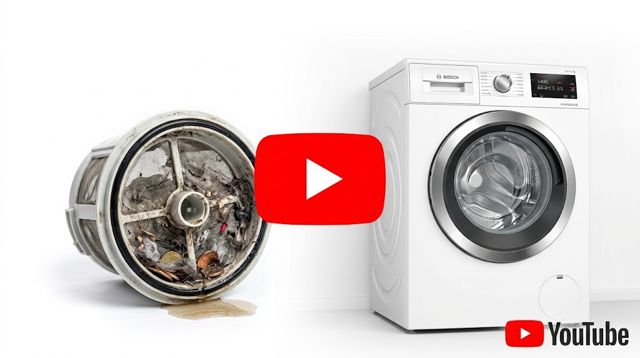
Link your YouTube videos and show how it’s done, instead of explaining it verbally.
Pages translate themselves: every customer reads in their own language.
Every QR has its type, with sheets and content designed for what you sell.
Answer a few questions, or let the AI fill in features and FAQs for you.
Scans and customer questions: you know what interests them and what is unclear.
We notify you when Eron can't find an answer, so you know what to add.
For physical products: spare parts and service centers directly on the QR page.
Colors, shape, and logo of the QR; at the top of the page your logo or your business name.
The customer scans with the camera. Questions are collected anonymously.
 Lavatrice
 Microwave
 Lave-linge
 Toaster
 Lavadora
Everything you need, in one QR
From file management to real-time AI support — each QR is a complete platform.
Dynamic QR codes
Generate and customize QR in seconds. Change content without reprinting the code. Public or private visibility with password.
Dedicated AI chat
Each QR has an AI chat that responds based on your PDF documents, FAQs, and uploaded content. No inventions, just your information.
Documentation
Upload PDFs, technical documents, instructions. The system reads, indexes, and uses them to respond to customers.
Video tutorials
Embed YouTube or Vimeo videos, or upload video files directly to show step-by-step procedures and maintenance.
Real-time analytics
Monitor how many times each QR is scanned, from which devices, and at what times. Data to optimize support.
Multilingual
Set the language of the QR and the AI chat. The system automatically responds in the customer's language.
From idea to QR in four steps
Create the QR
Sign up and create your QR: name, description, documents. ScanEron generates a unique code with its page.
Upload content
Drag documents, photos, diagrams, videos, and FAQs. No technical skills needed.
Eron studies for you
Press "Save and process": Eron reads the documents, indexes them, and is ready to respond to your customers.
Apply and share
Download the QR, print it on a label, package, or document. The customer scans it and finds everything.
Every question becomes
an idea for improvement.
Eron doesn't just respond: it keeps track of the topics customers return to, alerts you when information is missing, and shows you where doubts arise. This way you improve documentation, and sometimes even what you offer.
If the answer isn't in your content, Eron doesn't make it up: it sends you an email and a notification with the exact question from the customer.
In Analytics, you find the most requested topics, QR by QR: useful data for support, marketing, and technical office.
Every answer you add counts for all future customers, in every language. A recurring doubt twenty times is a line to write only once.
Simple. Scalable.
Start for free, change plan as you grow. No hidden costs.
- 1 active QR codes
- 50 MB of space
- AI Chat (20 messages/month)
- 3 photos per QR
- Analytics
- 50 active QR codes
- 500 MB of space
- AI Chat (1.000 messages/month)
- 5 photos per QR
- Advanced analytics
- Password-protected QR
- 500 active QR codes
- 2 GB of space
- Unlimited AI Chat
- 20 photos per QR
- Advanced analytics
- Password-protected QR
- Custom branding
- Error checking in documents
- Unlimited QR codes
- Unlimited space
- Unlimited AI Chat
- Unlimited photos per QR
- Advanced analytics
- Password-protected QR
- Custom branding
- API access
- Error checking in documents
- Guaranteed SLA
- Dedicated support